Convert Your Resume Into a Portfolio Website
Create a polished portfolio that presents your experience, projects, skills, and contact links in one place. Share a page that feels ready for recruiters, clients, and new opportunities.
- Professional portfolio
- Project showcase
- Skills and experience
- Recruiter-ready profile
- Clean share link
- Mobile-friendly page
How it works
A cleaner way to present your career
FolioResume helps you turn scattered career details into a focused portfolio page that is easier to read, remember, and share.
Add your background
Bring your experience, skills, projects, education, and links into one organized place.
Make it yours
Shape every section so your portfolio sounds like you and highlights your strongest work.
Share with confidence
Send one polished page to recruiters, clients, hiring teams, and your professional network.
Before and after
Give your work more room than a resume can
A portfolio helps global reviewers see your value quickly: what you do, what you have built, what you are good at, and how to contact you.
Before
A resume alone
After
A polished portfolio
Templates
Choose a direction that fits your profile
Pick a visual direction that supports your field and makes your strongest work easy to understand at a glance.
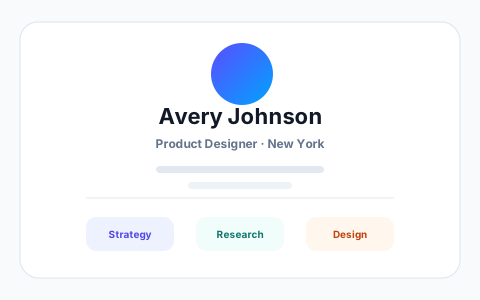
Minimal
Layout conceptClean, content-first portfolio template that lets your experience speak for itself.
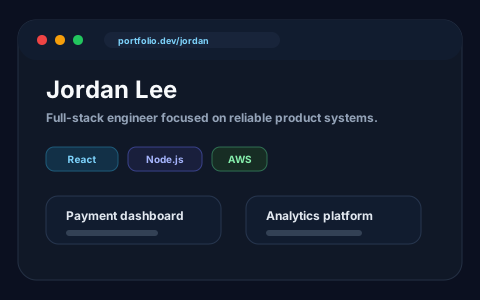
Developer
For developersProject and tech-stack focused layout built for software developers and engineers.
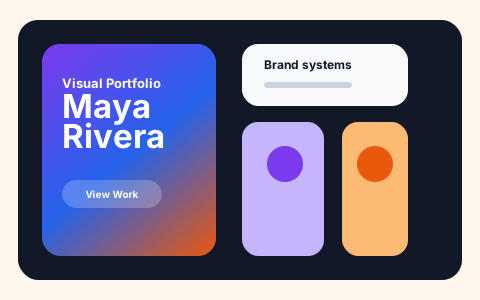
Creative
For designersBold, visual portfolio template designed for designers, artists, and creators.
Professional
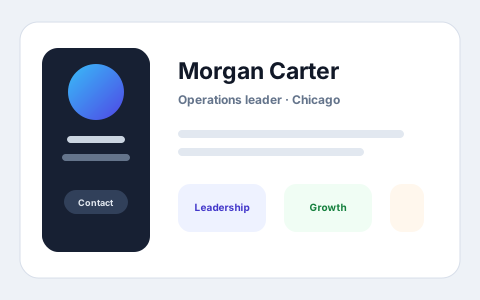
All-rounderClassic recruiter-friendly portfolio template that works for any profession.
Portfolio examples
Built for different careers and audiences
Whether someone opens your link from New York, London, Toronto, Dubai, or Berlin, the page should be easy to understand in a few seconds.
Software Engineer
Show shipped products, stack, and measurable impact.
Product Designer
Present case studies, process, and visual craft clearly.
Business Professional
Keep achievements, leadership, and credibility easy to scan.
Portfolio experience
Everything your professional page should communicate
A good portfolio should answer the questions people already have: who you are, what you have done, what you are good at, and how to reach you.
A stronger first impression
Present your best work in a clean page that feels easier to review than a plain document.
A clearer career story
Show your experience, projects, skills, education, and proof in a structure that makes sense.
Your page, your control
Update wording, improve project details, and decide what deserves attention before you share.
A portfolio link you can send with confidence
Keep your page polished, keep the link simple, and make it easy for the right people to review your work from any device.
Profile   Clear intro
Projects  Proof of work
Skills    Strengths
Contact   Next step
Who can use it
Built for profiles that need proof, not just a resume
Developers, designers, students, freelancers, and consultants can all present their work history, proof, and personality in a page that feels ready to send.
Guides
Plan a portfolio that shows your work clearly
Use these pages to shape your story, choose the right structure, and write project descriptions people can quickly understand.
Shape your portfolio story
Use a simple checklist to decide what belongs on your portfolio and what deserves the most attention.
Portfolio examples for your career
See sample project write-ups for developers, students and designers, and adapt the structure to your own work.
Choose a portfolio layout
Compare portfolio structures and learn what to include before choosing a visual design.
Get started
Build a portfolio you feel good about sharing
Present your work with clarity, personality, and a clean link you can send whenever an opportunity appears.
Why FolioResume
Built for portfolios people can review quickly
Recruiters and clients need clear proof. FolioResume helps your experience, projects, and strengths come together in a page they can review quickly.
Portfolio that opens doors
Give recruiters, hiring managers, and clients one page that explains who you are and what you can do.
Project-ready profile
Highlight meaningful projects with the context people need to understand your role and impact.
Personal brand page
Keep your professional story, contact links, and proof of work in a single polished destination.
Ready for every opportunity
Use your portfolio link in applications, messages, freelance pitches, and social profiles.
Trust and control
Professional enough for a global audience
Your portfolio should feel dependable wherever it is opened. Keep it polished, mobile-ready, and aligned with the opportunity you are pursuing.
Private until you share
Build and refine your page before sending it to recruiters, clients, or your network.
Works across devices
Your portfolio is designed to look clean on phones, tablets, laptops, and desktop screens.
Made for global opportunities
Use one professional link across job applications, freelance pitches, and social profiles.
Clear ownership
Keep your professional story current as your projects, skills, and goals grow.
FAQ
Common questions before you start
What can I use FolioResume for?
Use FolioResume to create a polished portfolio page that presents your experience, projects, skills, education, and contact links in one professional place.
Is FolioResume free to use?
You can start preparing your portfolio for free. When you are ready to share it publicly, your workspace shows the available access options before checkout.
Who is this portfolio builder for?
It works well for students, developers, designers, freelancers, consultants, and professionals who want a clear page to show their work and background.
What should I include in my portfolio?
Include a short introduction, your strongest projects, relevant skills, experience, education, certificates, and links that help people verify or explore your work.
Can students and freshers build a portfolio without work experience?
Yes. Start with your education, relevant skills, coursework, personal projects, internships or volunteer work. Explain what you contributed to each project and include evidence such as a demo, repository or case study when you have it.
Can I choose a portfolio style?
The page shows several style directions to help you think about presentation. Choose the direction that best supports your role, personality, and audience.
Can I update my portfolio later?
Yes. Keep improving your profile as your projects, experience, and goals change, so the page stays useful for each new opportunity.
Can recruiters and clients open my portfolio link?
Yes. Once your portfolio is publicly available, people can open the link without creating an account. Add it to applications, messages, and professional profiles.